How to add surround sound to your video in an exhibition
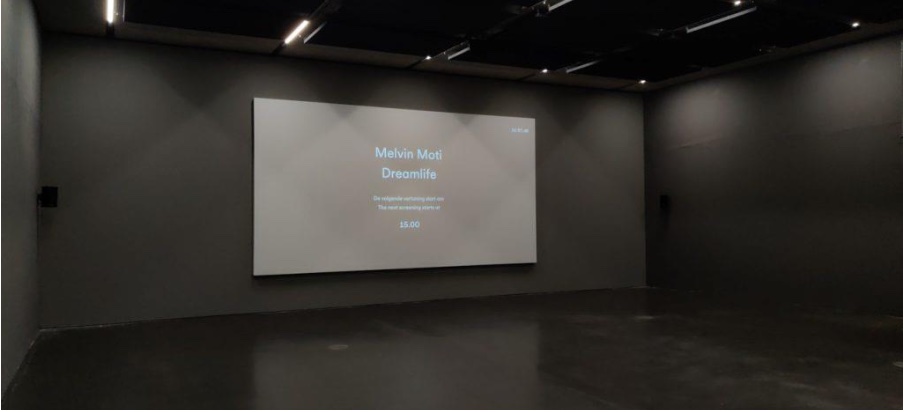
In a sound studio blessed with expertise and hardware it’s already challenging to make a surround soundscape.
In an exhibition you don’t have all that hardware and skilled people to operate it day by day.
So you need to make it easy.
Here I share a view in my kitchen to have it successfully deployed.
Surround sound starts with 3 channels up to 10 (or more )
Less channels we call stereo or mono.
the most common channel layout is 5.1 which means 5 speakers and a subwoofer
channel 1 to 5 = written as L, R, C, LFE, Ls, Rs (EBU standard)
so Left, Right, Center, Low Frequencie Effects , Left surround, Right surround
The LFE channel will always produce only low frequencie signals for the subwoofer.
The order numbers of the channels can be different but as long you keep track of the soundtracks it’s ok. L,R,C.Ls,Rs,LFE is commonly used in film
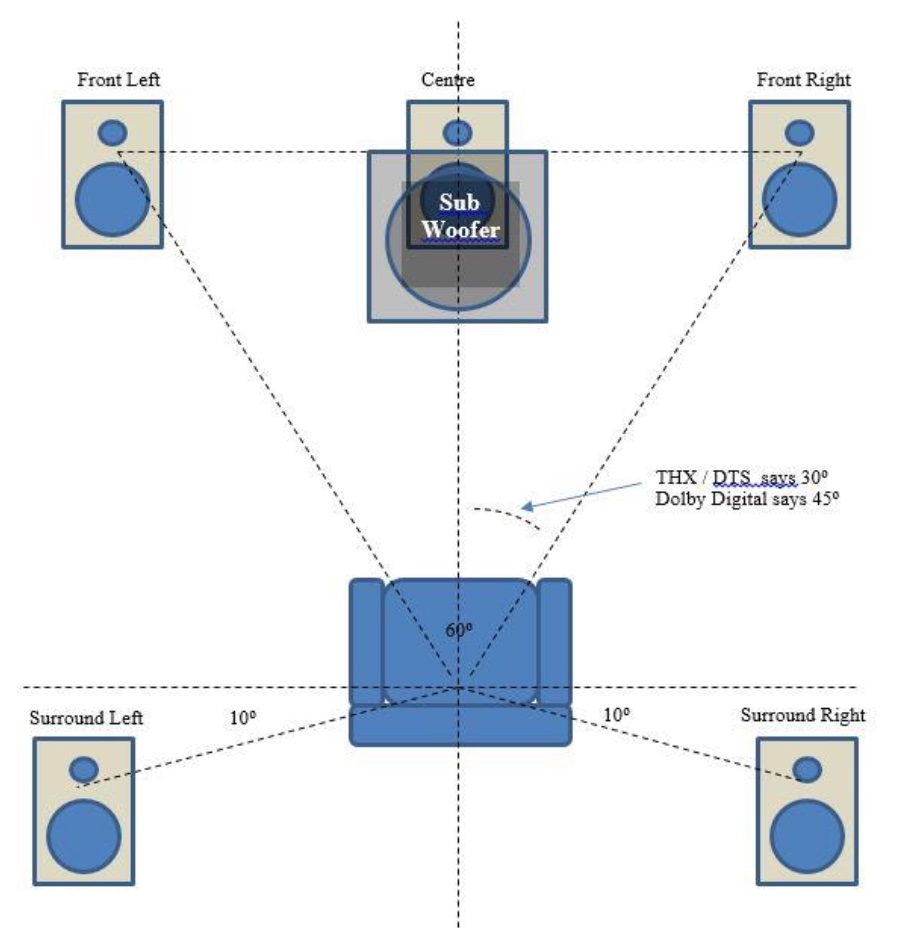
Note the subwoofer can be placed anywhere in the space.
Low frequency waves travel everywhere and are effective from a distance, not from close up..
In a exhibition setup I mostly work with a professional mediaplayer and surround receiver (multi channel amplifier) connected to passive speakers. so no computer with soundcards, operating systems and programs running the show. The show must be running with minimal intervention from the museum staff. Startup should be not more than pushing a button (or 2)
This means we have to limit the amount of devices.
That’s where the surround receiver comes at handy. You have 1 amplifier with multiple outputs for your speakers. The surround receiver will decode a multichannel audiostream into separate channels. The most known format for this audiostream is Digital Dolby with the extension .ac3.
It will compress your audio but the quality is still very high.
During audio production you multichannel audio track will probably contain uncompressed format like WAV or AIFF. The produce a Dolby surround track it export every channel separately as a WAV mono file.
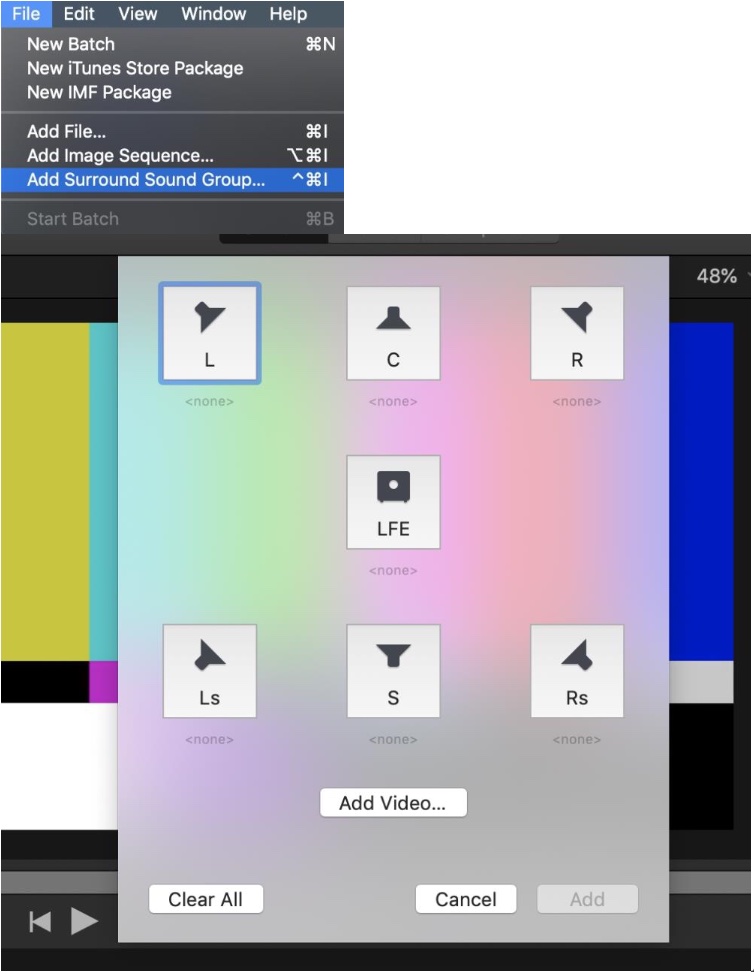
The easiest and error free way to make a dolby .ac3 track out of these files is to use Apple’s Compressor. In Compressor choose -FILE- Add surround group
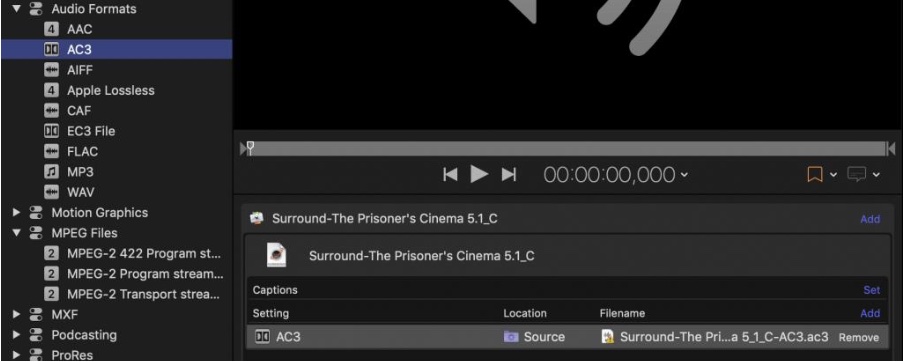
The next step is to drop the desired settings preset for your dolby digital file on the group
choose AC3 from the Audio formats presets and drop it on the surround group.
Simply click on the destination speaker and choose one of your exported monofiles.
This way you assign every track to a specific output. When your done click ADD
You don’t add any video here. Ignore channels you don’t need
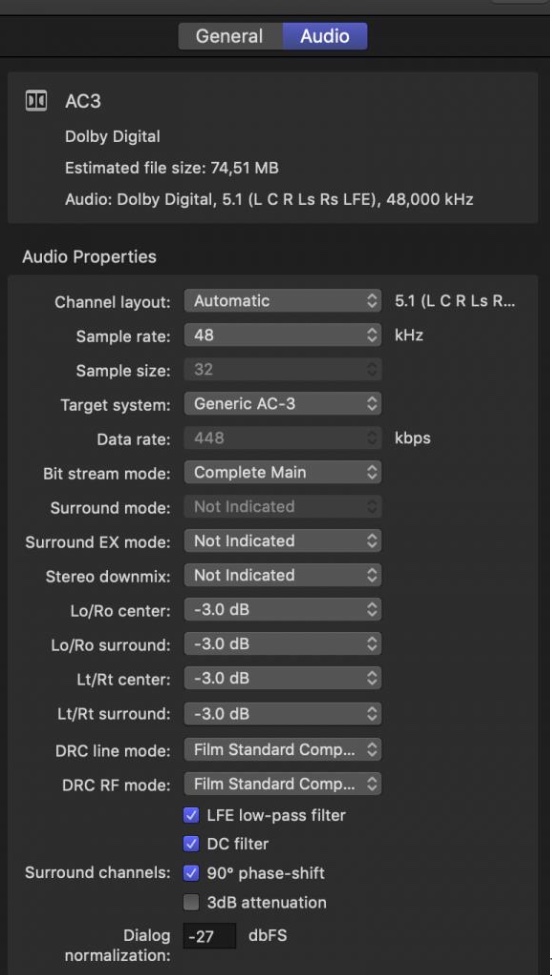
click on the AC3 and choose AUDIO in the inspector and change the target system to to Generic AC-3
Start the encoding and you will find a .ac3 file in your destination
Note! it’s important that the soundtrack equals the length of your video. Add silence if too short.
Next you need to combine the dolby surround track with your video.
The encoded video need to be muxed with the surround audio
Not all formats accept dolby ac3 files. You cannot combine H264 with dolby surround, standard ac3 is added to an Mpeg2 endoded file and save as a .mpeg or .ts file (transport stream)
I found out H265 (UHD) can be played with an .ac3 surround file on a Brightsign 3 player
for video encoding info check my other blog.
You can use ffmeg to mux the files together or for non command line workers use ff-Works
I prefer to use a windows program called TMPGEnc MPEG Smart Renderer 5
It’s a great program to stitch mpeg encoded file together without re-encoding
very handy if you need seamless looping video in a mediaplayer, Just create large long files with ease. When adding a video choosing property window you can add or replace the soundtrack for the .ac3 surround file. After exporting you have a perfect videofile with surround compatibilty with many devices.
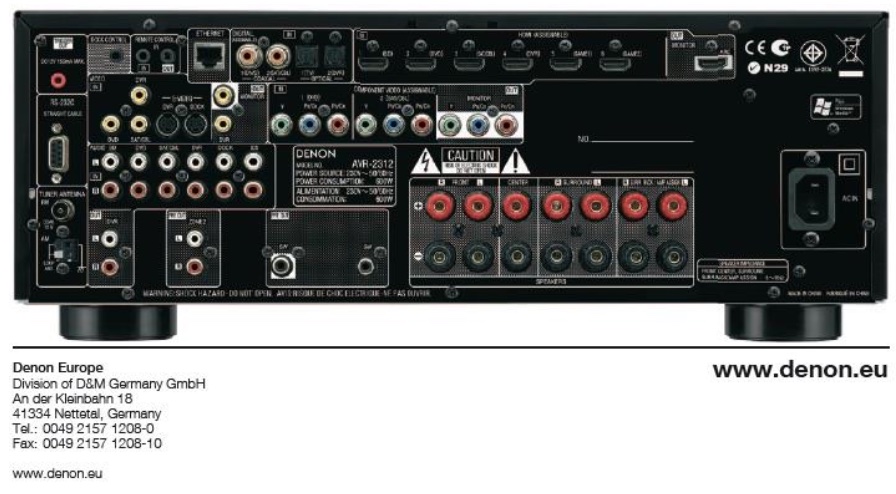
Connect your mediaplayer with an optical toslink cable or hdmi (loop trough) the surround receiver. If choosing the right input you should hear and see multichannel audio coming as dolby digital. Many receivers give to possibility to change the volume per channel independently and the setup an initial volume when switching on the receiver. Read the manual of the surround receiver for more info.
IvS 2020
